Binance Extension Wallet v1.139.0 Release
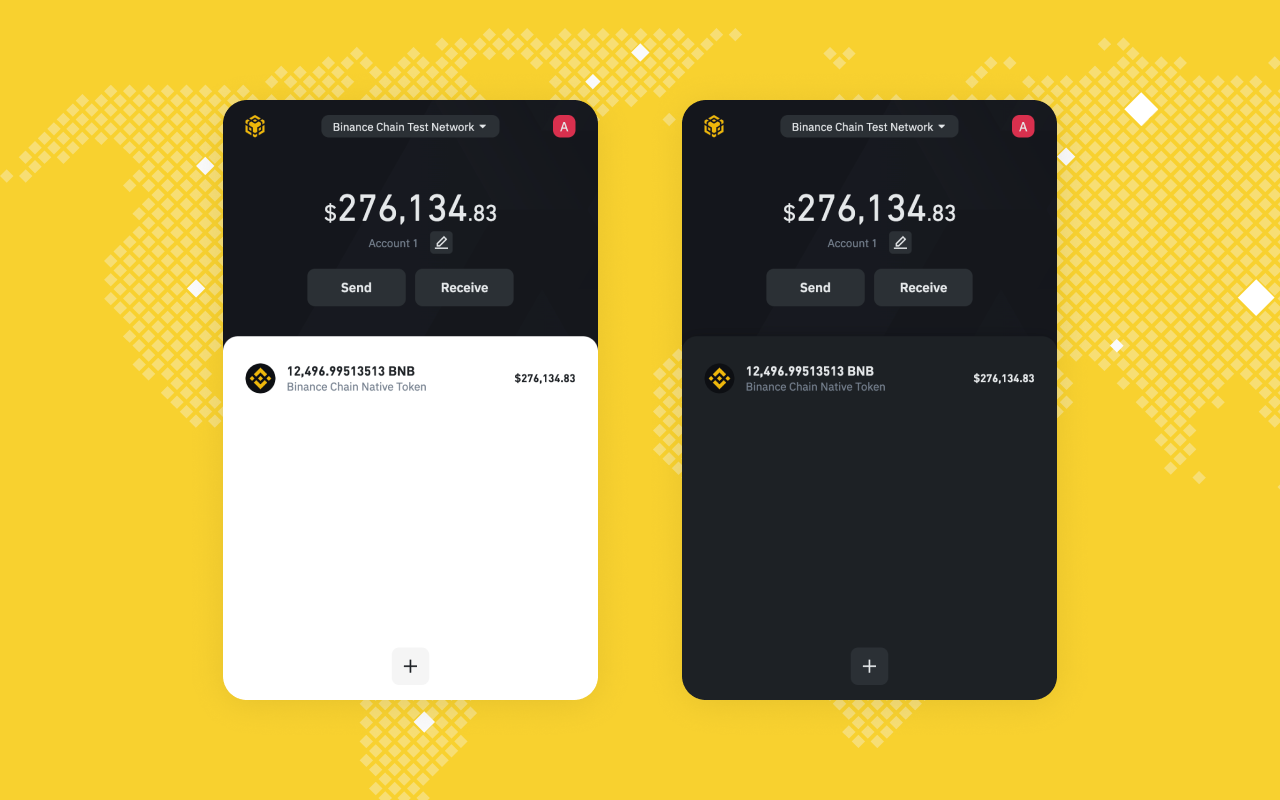
Binance Extension Wallet v1.139.0 is released and verified on Firefox.
Download link:
- https://addons.mozilla.org/en-US/firefox/addon/binance-chain/?utm_source=addons.mozilla.org&utm_medium=referral&utm_content=search
- https://chrome.google.com/webstore/detail/binance-chain-wallet/fhbohimaelbohpjbbldcngcnapndodjp
In the previous hot fix releases, the Binance Extension wallet has fixed many bugs and improved user’s experience. To learn more about these releases, please read the blog.
Binance DEX Trading
You can now trade on Binance DEX with Binance Chain extension wallet, which should come especially handy for newcomers.
It’s possible to connect your extension wallet with Binance DEX now. If you have used DEX before, it’s recommended to import your accounts to extension wallet then resume trading. Read the detailed user guide here

Better Key Management
Recover the BEP-20 tokens in your wallet to a BSC-compatible wallet
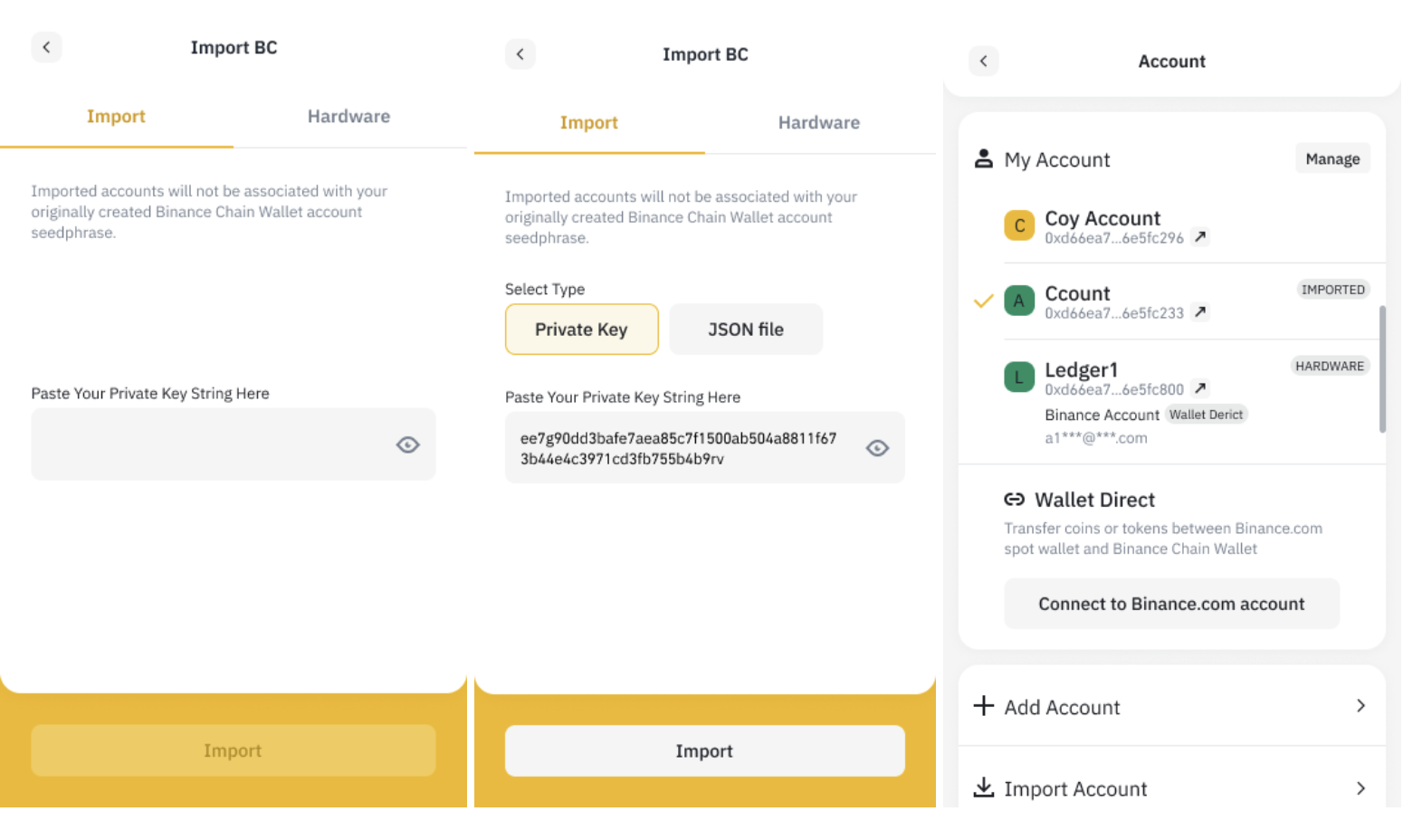
How to create a Binance Chain Wallet account and import your private key.
- Create a new Binance Chain Wallet to deposit your BEP-20 tokens. Click [I do not own a wallet] to create a new wallet.
- Go back to your original wallet and copy the relevant private key.
- Clicking [Import], paste your copied private key. You will see your BEP-20 tokens in the Wallet immediately.
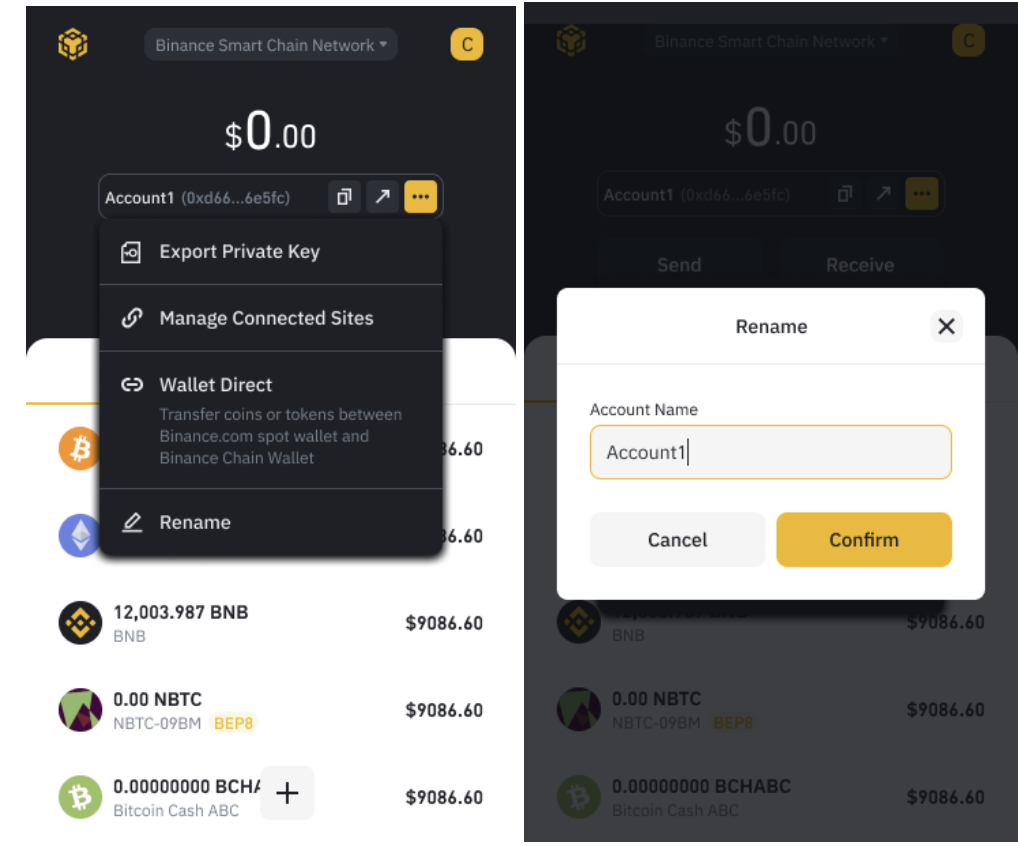
Edit Account Name
When creating a new account, you can choose an alias.

You can also edit the default name later.
Conclusion
BEW takes user experience very seriously. If you ever experience an issue in BEW, do not be afraid to create a post on our forum, where we will continue to do our best to respond to pressing issues as quickly as possible. For other user support questions, feel free to reach out to us at t.me/bcextensionwallet